Have you ever had a Word document or PowerPoint presentation that you needed to share only to stress about the formatting going awry on someone else’s computer? Or perhaps you needed to submit a document or presentation in a static format and only knew that converting to PDF was the only way to ensure it looked the same, regardless of where it was opened? This is why something must be said about having a fast and easy way to convert files to PDF; convenience is great, but let’s face it, it’s really necessary.
PDFs are the gold standard for sharing content in our digitally first world. They maintain the layout, eliminate accidental edits, and convert seamlessly across devices and platforms. With smart tools like PDFGPT, you can convert any file into a PDF with just one click, quickly, for free, and all online.
In this blog, we will examine why files must be converted to PDF and how to do so through PDFGPT.
Why Convert Files to PDF?
PDFs are the gold standard for sharing files, whether you are an individual wishing to share with a friend or a team trying to share with colleagues. Here are some reasons why people from all professions, including students, marketers, HR managers, lawyers, designers, etc., convert files to PDF:
Consistent Formatting
Unlike Word, Excel, or PowerPoint, PDFs will always look the same, no matter the device. Fonts, images, spacing, and layout remain unaffected without distortion. This is important when sending documents to clients or colleagues that we all share globally.
Security and Protection
You can easily lock documents from editing or password-protect sensitive documents. You can also digitally sign or restrict a file from being copied and printed. This makes PDFs great if you are sharing contracts, financial reports, or legal documents that require confidentiality.
Universal Compatibility
PDF documents can be opened on any device. PDF will open the same with no issues on a Mac Book, Android, or old Windows PC. This makes sharing PDFs seamless and no one has to worry about not having the same version of a document.
Compact Size
You can compress PDF documents with PDGPT and easily share them without losing quality. If the document is stored as a PDF, it will be considerably smaller while still maintaining the visual aspects of the original document. This is beneficial if you need to email long or large documents to save space on devices or when uploading files to cloud storage.
Archiving and Printing
PDF files are the best option for document storage in the long term. They replicate a professionally presented print-ready layout. Unless you specify otherwise, they are not editable. In 10 years, you will have the same PDF without any changes. Libraries, businesses, and government rely heavily on PDF files and often use them for things that need to be preserved indefinitely.
How to Convert a File to PDF Online for Free
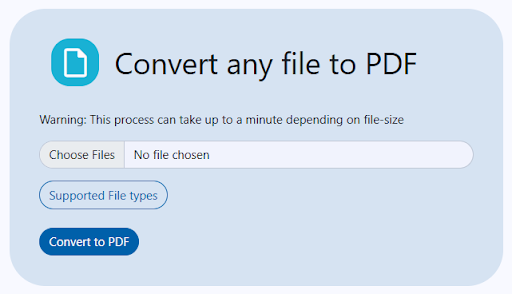
Thanks to cloud-based tools like PDFGPT, there’s no need to install software or use complex converters. You can upload and convert files securely and instantly right from your browser.
Convert File to PDF Now
5 Simple Steps to Convert a File to PDF:
Step 1: Open PDFGPT’s File to PDF Converter
Go to the PDFGPT File to PDF tool. Its clean, user-friendly interface is designed for quick conversions.
Step 2: Upload Your File
You can upload various file types, such as DOCX, XLSX, PPTX, JPG, PNG, or even TXT files. To convert a file to PDF, you just have to drag and drop it or pick one from your device.
Step 3: Preview and Customize
Do you want to change margins, paper size, or orientation before conversion? You can customize your settings to ensure your PDF meets your needs and purpose, whether that be to print it, archive it, or email it.
Step 4: Click “Convert to PDF”
PDFGPT will quickly convert your file while preserving formatting, layout, and quality, so there won’t be any issues or watermarks!
Step 5: Download Your PDF
Once you’re ready, you can download the PDF to your device or save it to the cloud. You don’t have to sign up, and we won’t collect your email; we just want fast results.
Why Use PDFGPT to Convert Files to PDF?
Sure, there are many file-to-PDF tools. But PDFGPT is also an AI PDF summarizer and stands out for its simplicity, privacy, speed, and lack of strings attached.
1. 100% Free and No Limits
Using PDFGPT to convert files to PDF, there are no hidden fees, and no trial expiration. Also, you can convert as many files as you need, and it’s completely free.
2. Supports All Popular File Formats
PDFGPT supports all types of files and you can convert any DOCX, XLSX, PPTX, JPG, PNG, TXT, HTML, and more, all in one place.
3. No Watermarks or Branding
After converting your file for PDFGPT, you won’t see any kind of watermarks or branding in your final PDF file, which will also be clean and professional, perfect for resumes, proposals, reports, or business use.
4. Mobile-Friendly & Cloud-Based
You can convert the PDF files from on any device. Whether you’re on Android, iPhone, Mac, or Windows, PDFGPT works in your browser, so no app is needed.
5. Instant Download with No Signup
Skip the hassle. No need to create an account or provide your email, just upload, convert, and download.
6. Privacy-First
We provide privacy for encrypted files during processing and automatically delete them from PDFGPT’s servers. You don’t have to worry, your documents remain private and secure.
7. More Than Just a Converter
In addition to converting files to PDF, PDFGPT also lets you merge, split, compress, summarize, and annotate PDFs, all for free.
What Types of Files Can You Convert to PDF?
Here’s just a snippet of what you’re capable of doing:
Word to PDF: Produce resumes, cover letters, and contracts with a fixed layout
Excel to PDF: Send reports, invoices, and calculations that won’t shift cells on different devices.
PPT to PDF: Make portable, elegant presentations for clients or students.
JPG/PNG to PDF: Convert images or scanned documents or design mockups into a PDF.
TXT or Notepad to PDF: convert plain text to a clean, printable format.
Remember that leaves you with the flexibility, whether you are a student submitting an assignment, a designer sending over a mock, or a business person archiving reports. PDFGPT helps make your life simple.
Final Thoughts
Most people didn’t realize they needed the ability to convert a file to PDF quickly until it became commonplace in their lives. Regardless if you’re drafting professional documents, saving documents for records, or sharing important files, PDFGPT gives you an easy, free, fast, and privacy-conscientious way to convert your files to a PDF from anywhere, anytime.