Have you ever written a document in Markdown, whether it’s a project README, a blog post draft, a resume, or a technical guide and wanted to share it as a polished, professional PDF? Maybe you tried copying and pasting the Markdown text into a word processor, but lost formatting, or struggled with inconsistent styles and broken layouts. This is why converting Markdown files to PDF can be incredibly useful.
Just like saving Word or Excel files as PDFs preserves their formatting and ensures consistent appearance across devices, converting Markdown to PDF locks in your content’s style, structure, and design. The PDF becomes a clean, portable, and easily shareable file that looks exactly as you intended no matter where or how it’s opened.
This article explains why converting Markdown to PDF matters, explores common methods for doing it, and guides you through simple tools that make the process quick and seamless.
Why Convert Markdown to PDF?
Markdown is a lightweight markup language designed for easy writing and reading in plain text. But plain Markdown files (.md) aren’t always the best for sharing with others, especially if they’re unfamiliar with Markdown syntax or don’t have compatible editors. PDFs, on the other hand, are universally readable and maintain consistent formatting.
- Access Offline Anywhere
Once converted to PDF, your Markdown content can be viewed on any device, phones, tablets, laptops, even without Markdown readers or internet connectivity. - Maintain Formatting Integrity
Markdown is all about formatting, headings, lists, code blocks, images, but not all viewers render it the same way. PDF fixes the look so your headers, bullet points, tables, and code snippets appear exactly as intended. - Easy to Share and Print
If you need to email documentation, print manuals, or upload reports, PDFs provide a professional format that looks polished and is easy to distribute.
How to Convert Markdown to PDF
Several tools and methods make converting Markdown to PDF simple and efficient, whether you prefer using software, command-line utilities, or online services.
1. Using Markdown Editors with Export Features
Many popular Markdown editors, such as Typora, Obsidian, and Visual Studio Code, have extensions that allow you to export Markdown files directly as PDFs. This method is intuitive: open your .md file, then use the export or print-to-PDF option to save your document.
2. Using PDFGPT
PDFGPT is a powerful open-source tool that converts files between multiple markup formats and also serves as an AI PDF summarizer. To convert Markdown to PDF, you just need to run a command like. You can customize output with templates, stylesheets, and even include LaTeX for high-quality PDF rendering.
3. Online Converters and Tools
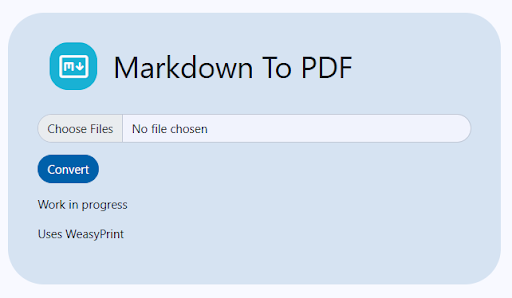
If you prefer not to install anything, websites like Dillinger, StackEdit, or CloudConvert allow you to upload Markdown files and convert them to PDFs instantly. These tools offer convenience, though sometimes with limited customization.
Step-by-Step Guide: Convert Markdown to PDF Using PDFGPT
Step 1: Install PDFGPT
Download and install PDFGPT from its official site. It’s available for Windows, macOS, and Linux.
Step 2: Prepare Your Markdown File
Make sure your Markdown (.md) file is saved and includes all the content you want to convert.
Step 3: Open Your Command Line or Terminal
Navigate to the folder containing your Markdown file.
Step 4: Run the Conversion Command
Type the following command and press Enter, will process the Markdown and generate a PDF with your content styled neatly.
Step 5: Review Your PDF
Open the resulting PDF to ensure formatting, images, tables, and code blocks appear as expected.
Why Choose PDFGPT for Markdown Convert?
No need to fuss over complex tools or formatting errors; these options keep things straightforward. Pandoc offers unmatched flexibility for technical users who want precise control. Editors with export features are perfect for quick, user-friendly conversion.
Final Thoughts
Converting Markdown to PDF is a practical step for anyone looking to share clean, well-formatted documents beyond the Markdown ecosystem. Whether for professional reports, user manuals, blog posts, or resumes, the PDF format ensures your content looks great everywhere.
With versatile tools like PDFGPT, easy export features in Markdown editors, and convenient online converters, turning Markdown into PDF is simpler than ever. So next time you want to lock in your Markdown work’s design and share it hassle-free, just convert it to PDF and enjoy a polished final product.