PDFs have been the standard for sharing documents, reports, manuals, and eBooks. PDFs keep the same look on any screen. However, when it comes to the web, PDFs have a few challenges. They can be inflexible on mobile screens, not always easily indexed by search engines, and are hard to update.
This is where converting PDFs to HTML comes into play. When you convert PDF to HTML, your content is web-friendly, easy to navigate, and accessible on any screen. Converting is seamless with PDFGPT as it is an AI-enabled platform. It does all the work, transforms your PDF, and gives you clean, readable HTML without all the hard work of extracting text, images, and formatting, since you will not have to manually change every little detail.
Challenges in Manual PDF to HTML Conversion
Manually converting PDFs to HTML is an arduous and time-consuming endeavor. There are many obstacles that you’ll face:
- Formatting Problems: Since PDFs are for fixed layouts, preserving the fonts, images, tables, and spacing when converting to HTML is incredibly difficult. Oftentimes, when converted manually, you end up with broken layouts or misaligned content.
- Time-consuming: When you are manually converting a PDF, that can take you hours of work. If you’re a company that handles multiple documents a day, this is not only inefficient, but costly.
- Error-prone: Manual converting errors, such as missing text or broken links, or misaligned tables, reduce your user experience and your credibility.
- Un-scalable: When you have a lot of PDFs, you simply cannot convert them any other way. If you need to do batch conversion, machine-aided conversion is the only way to go.
How PDFGPT Simplifies PDF to HTML Conversion
PDFGPT uses AI to simplify the PDF to HTML conversion process. With PDFGPT, converting PDFs to HTML is faster, more accurate, and has an improved user experience. Consider these ways PDFGPT simplifies the process:
- Smart Extraction of Content: PDFGPT can automatically extracts text, images, tables and links from PDF files, all the while retaining the content structure of the original document.
- Page Formatting Retained: When using PDFGPT, we are confident that fonts, layout, and visual hierarchy will be retained in the HTML output, greatly reducing the time needed to adjust the output manually.
- Converts Multi-Language: Converting PDFs with multiple languages or complex scripts? No worries. PDFGPT makes the entire conversion process effortless and will retain readability.
- Automation and Batch Conversion: Many companies have bookstores of documents to convert. PDFGPT allows you to convert multiple PDF identifiers at the same time. Effectively saving time faster than manual alternatives.
- Optimized for the Web: HTML’s converted using PDFGPT have been optimized for web use and are responsive. HTML will also pass SEO standard for discoverability and user experience.
Step-by-Step Guide: Using PDFGPT to Convert PDFs to HTML
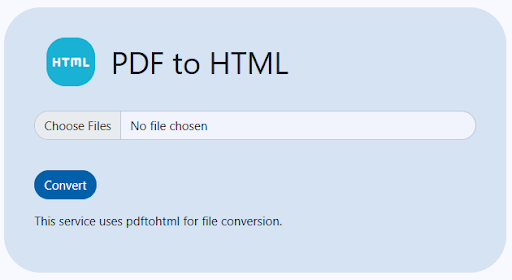
Step 1: Uploading the PDF
You need to sign in to PDFGPT and upload your PDF file, either a standard PDF file, and the site supports all formats and PDF file types – including large pdfs.
Step 2: Select HTML Conversion Options
You will be given multiple options for what to do with the HTML conversion, for example maintain layout, extract images, or retain hyperlinks.
Step 3: Review of Conversion
You will be able to preview the converted HTML in order to review, change, and update anything if necessary.
Step 4: Export HTML
When you’re happy, export your HTML and a ready-to-use file for the web, blogs, or CMS applications without further editing.
Step 5: Integrating and Publishing
This can be added directly to your HTML web pages, pages on a CMS, the HTML generated is fully responsive and search engine friendly.
Benefits of Converting PDFs to HTML with PDFGPT
Transforming PDFs to HTML with PDFGPT has many benefits: Convert PDF to HTML with PDFGPT, an AI PDF summarizer. Preserve formatting, images, and links while creating web-ready, SEO-friendly content.
- Better Accessibility on the Web: HTML content is much easier to navigate. It is also adaptable on many devices like mobile phones and tablets.
- Better SEO: Unlike PDFs, HTML content is searchable and crawlable by search engines, which increases visibility and ultimately traffic to your site.
- Quicker Updates: HTML provides updates without having to regenerate your entire document, like PDFs.
- Much Less Manual Work: Automation limits human error and saves you hours of mundane work.
- Enhanced Web Experience: HTML allows for the embedding of interactive elements, multimedia, and hyperlinks, providing users with a more immersive experience.
Summary
With PDFGPT, converting PDFs into HTML is no longer a grueling and error-laden task. The intelligent and AI-driven processing behind PDFGPT allows for highly accurate extraction, consistent formatting, and high quality HTML output, ready for your web application. Businesses, education institutions and content creators now have a fast, reliable and intelligent way to scan static PDF documents into interactive HTML for the web, save time, provide access and SEO opportunities to your content, and enhance the user experience.