Ever tried to get data locked inside a PDF file? Let’s say you needed a set of invoices, product lists, or even customer records. You would soon discover that the old-fashioned copy and paste from a PDF is slow, demands a lot of attention, and is frustrating. Extracting data is one thing, preserving formatting is another. That’s precisely the problem with a PDF. It is an excellent medium for preserving formatting. However, it is a pain when it comes to extracting structured data. This is precisely the problem that PDF to XML conversion solves.
In this article, I will consider the benefits of PDF to XML conversion, the steps involved, and how PDFGPT simplifies the process in a timely, accurate, and stress-free manner.
Why Convert PDF to XML?
PDFs preserve the look of documents, but they are not designed for data processing. Converting them to XML solves many common problems:
Structured Data for Integration
PDFs store data visually rather than logically. XML organizes information in a structured way with tags for each data element, making it perfect for software systems to read and process automatically.
Easier Automation
With XML, you can automatically feed data into databases, accounting systems, or inventory software. This reduces human error and saves hours of manual data entry.
Extract Only What You Need
PDFs often contain hundreds of pages, but you might only need specific tables, fields, or entries. Converting to XML lets you extract just the relevant parts for integration.
Compatible with Most Applications
Unlike PDFs, which may require a reader or specialized software, XML is a universally recognized data format. It works well with business applications, analytics tools, and web platforms.
Preserve Data Accuracy
Copy-pasting data from PDFs can lead to mistakes. Automated PDF to XML conversion maintains data integrity, ensuring all numbers, dates, and text fields are preserved exactly as intended.
How to Convert PDF to XML Using PDFGPT
Manually convert PDF into XML can be time-consuming. PDFGPT simplifies the process with AI-powered extraction that ensures accurate and high-quality output.
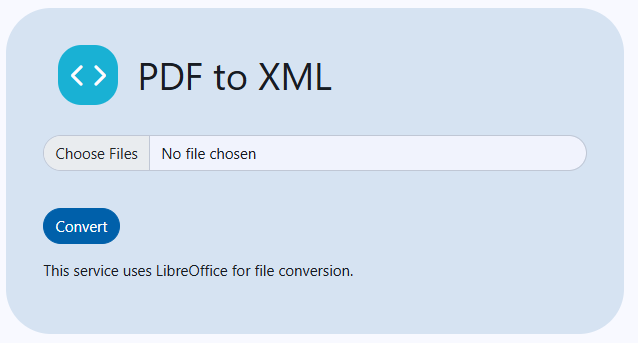
Convert PDF to XML in 5 Simple Steps
Step 1: Visit PDFGPT’s PDF to XML Tool
Go to PDFGPT’s website and navigate to the PDF-to-XML conversion tool. It’s designed for fast, hassle-free data extraction.
Step 2: Upload Your PDF
Choose the PDF you want to convert. Whether it’s invoices, purchase orders, or reports, upload it securely to the platform.
Step 3: Select XML as Output Format
Specify XML as your target format. PDFGPT can also offer options for customizing tags and structure to match your system’s requirements.
Step 4: Press “Convert to XML”
Let PDFGPT’s AI engine process the PDF. It recognizes tables, fields, and sections, generating structured XML data with accuracy.
Step 5: Download Your XML File
Once conversion is complete, download the XML file immediately. You can integrate it into your systems, store it in the cloud, or use it for analytics without delay.
Why Use PDFGPT for PDF-to-XML Conversion?
PDFGPT is also an AI PDF summarizer that does more than convert files; it’s an AI-powered tool that ensures precision and ease of use. Here’s why it stands out:
No Software Installation Required: Use it directly in your browser, no downloads, no plugins.
Fast and Reliable Results: Conversions happen in seconds, with XML files maintaining accuracy and consistency.
Secure and Private: Uploaded PDFs are deleted after processing, ensuring sensitive business data stays safe.
Compatible with All Devices: PDFGPT works seamlessly on desktops, laptops, tablets, or smartphones.
Customizable XML Output: You can adjust the XML structure, add custom tags, and define hierarchies to match your data integration requirements.
More than a Converter: In addition to PDF-to-XML, PDFGPT can summarize PDFs, extract tables, split or merge documents, and even generate reports in multiple formats.
Types of PDFs You Can Convert to XML
The PDFGPT understands almost any kind of PDF, making it useful for both companies and private users:
Healthcare Records: Patient details are converted into standard templates for EMR and other analytic tools.
Invoices and Bills: Line items, total amounts, dates, and client details are extracted and turned into XML files that can be used in accounting programs.
Purchase Orders and Inventory Lists: Product details are extracted and integrated straight into ERP programs.
Reports and Research Papers: The tables, numbers, and conclusions are transformed for further data analysis.
Forms and Applications: The information users enter is captured and sent to CRM and HR programs.
Certificates and Other Legal Documents: Details are preserved and indexed for archival and compliance purposes.
Advantages of Converting PDF to XML for Data Integration
There are several advantages of converting PDFs to XML:
- Efficiency: Streamlines data entry and cuts down on monotonous workloads.
- Accuracy: Does away with the mistakes linked to manual extraction.
- Scalability: Manage extensive collections of PDFs without additional staff.
- Interoperability: Is compatible with various software systems, simplifying integration.
- Data Analytics Ready: Unstructured information is transformed into analytics reports providing valuable insights for the business.
Final Thoughts
Although the visual aspect of a document is well-preserved by PDFs, they are cumbersome for integration and automation. Convert PDF to XML, the data can be leveraged from static information into structured data and can be further utilised by databases, ERPs, CRMs, and analytics tools.
Thanks to PDFGPT, converting is simple, quick, and safe. There is no need to be concerned about software purchases, error-ridden manual extraction, or their software. All you need to do is upload your PDF, convert it to XML, and start integrating your data right away.