Sometimes PDF files open with the pages flipped the wrong way sideways, or in an odd position that makes reading difficult. Fixing this issue can be frustrating if you lack the proper tools. PDFGPT allows you to turn PDF pages or entire files without risking any loss in quality or security. You can use it on a desktop or mobile device, and your document will remain clear and aligned. It will be ready to view, share, or print. Here’s how to rotate PDF files with PDFGPT easily, whether online, offline, or on any device.
Rotate PDF Pages Online for Free
Most tools for working with PDFs make turning pages hard to figure out or take too long. PDFGPT provides an easy and clear option to rotate a single page, multiple pages, or the whole PDF while keeping the layout the same. You won’t need special software or tech knowledge to finish the task. It runs inside your browser without needing to install or download anything. If you’re fixing the angle of a scanned file or getting slides ready, PDFGPT ensures each page faces the proper way. You can even check the updated pages before saving to ensure they appear.
Why use PDFGPT?
- 100% free and online tool
- No need to install anything or sign up
- Compatible with Windows, Mac, Android, iPhone, and Linux
- Keeps the original design, pictures, and fonts intact
- Steps to Rotate PDF Pages Using PDF
How to Rotate PDF Pages Using PDFGPT
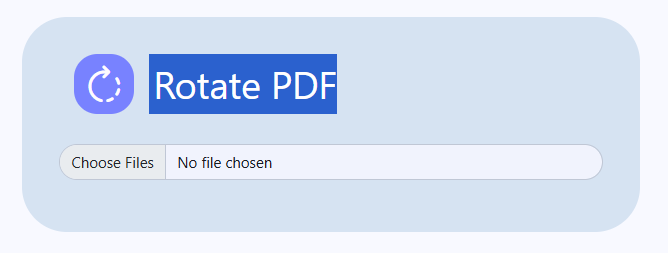
Rotate PDF Pages Online for Free
Step 1: Visit the PDF Rotation Tool on PDFGPT
Step 2: Press “Upload PDF” or drag and drop your document
Step 3: Pick the pages you want to turn and select the angle (90°, 180°, 270°)
Step 4: Save the changes and download your new PDF right away
Benefits of Using PDFGPT for PDF Rotation
PDFGPT a know AI PDF summarizer tool can also help to rotate PDFs and offer various advantages. The platform provides a quick way to adjust the orientation of your documents. It also ensures the formatting stays unchanged while rotating pages, allowing users to modify their files without losing quality.
No Need to Sign Up
You can rotate PDF pages right away without signing up or giving personal info. PDFGPT makes it hassle-free and super fast, which is ideal when you need quick access.
Precise Page Options
With PDFGPT, you decide how pages get rotated. Rotate just one page, a few specific ones, or the whole file. You can even set different angles for different pages so everything turns out the way you need.
Keeps Your File Quality
Rotating pages won’t mess up your PDF’s quality. The text stays sharp, images stay clean, and the original layout doesn’t change, no matter how many rotations you make.
Safe and Encrypted Processing
Your files get processed using end-to-end encryption. PDFGPT deletes them from its servers as soon as the rotation finishes. This helps keep your files private.
Works on Every Device
PDFGPT works across all devices like PCs Macs, smartphones, tablets, and Linux systems. It supports all popular browsers so you can rotate PDFs from anywhere anytime.
Easy for Beginners
You don’t need tech knowledge. Just upload your file, rotate it, and download it. PDFGPT is made for students, workers, or anyone wanting a no-fuss tool to rotate PDFs.
No Download Needed
All actions take place in your browser. There are no large apps to install, no files to download, and nothing taking up storage. You can use shared or public computers without concerns about leftover files.
Final Thoughts
PDFGPT provides a totally free and easy way to rotate page(s) of your PDF online. Whether you need to rotate one page, multiple pages or all the pages in your PDF document, PDFGPT makes this easy and fast. No need to waste time downloading or installing any software, all you need to do is upload your file, specify the rotation angle, and your document will be ready in seconds. The PDFGPT tool maintains your PDF’s original layout and quality throughout the process. PDFGPT enables anyone to quickly and easily resolve page orientation issues at any time, anywhere, for free.