With increased information and documents, managing the same has become a big headache in these modern times. Fortunately, the incorporation of artificial intelligence has brought forth solutions that have made interaction and summarization of PDFs much easier. Among the game-changing solutions is PDFGPT-a powerful AI PDF summarizer. But how does it work, and how can you have a conversation with your PDF to get the most valuable insights out as fast as possible? Let’s dive in and see how PDFGPT’s innovative AI PDF summarizer technology changes the game in handling PDFs.
What is PDFGPT?
PDFGPT is a premium AI PDF Summarizer tool designed to allow users to interact with their PDF documents directly. Unlike the conventional PDF reader, PDFGPT is based on state-of-the-art AI algorithms that do not just summarize your PDF but also let you converse with your PDF in real-time. It enables users to ask questions, get a summary, or even clarify a portion of the document that is hard to understand over a smooth chat.
Whether you work with academic papers, business reports, or legal documents, PDFGPT lets you unlock the most important information from your PDFs quickly and efficiently. By using the summarization and conversational powers of PDFGPT’s AI, you will be able to extract key points, identify trends, and gain deeper insights much faster than it would take you to read through the whole document.
Why Use PDFGPT to Chit-Chat with Your PDFs?
But let’s first know why PDFGPT stands tall among other summarizers of PDFs.
The Summarizer for AI PDF: Using state-of-the-art algorithms with the ability to parse and summarize in natural language processing, whether complicated or just about anything inside a document; understanding context extraction by presenting this information in simplistic form.
PDFGPT is a highly interactive tool, as you get to chat with your PDF. Rather than simply summarizing your document, it lets you ask very specific questions, deeper explanations, and even explain what might be confusing. That would be great for anyone who wants more than a simple summary.
Time-Saving Efficiency: PDFGPT’s advanced AI summarizer slashes the time that would have been required to manually read through and extract insight from long PDFs. Be it technical papers or corporate reports, PDFGPT helps you cut to the chase with its summarization feature.
Friendly User Interface: Chat with your PDFs as never before. The simple, intuitive interface makes it pretty easy even for users with poor technical experience to exploit the strong features of the tool. Be it a student, a researcher, or a business professional, PDFGPT makes the management of PDFs very easy.
Customizable Responses: If you need a certain section or topic from your PDF, you only have to tell the AI where to focus. PDFGPT adapts to your needs, allowing for personalized summaries and responses.
How to Chat with Your PDF in PDFGPT: A Step-by-Step Guide
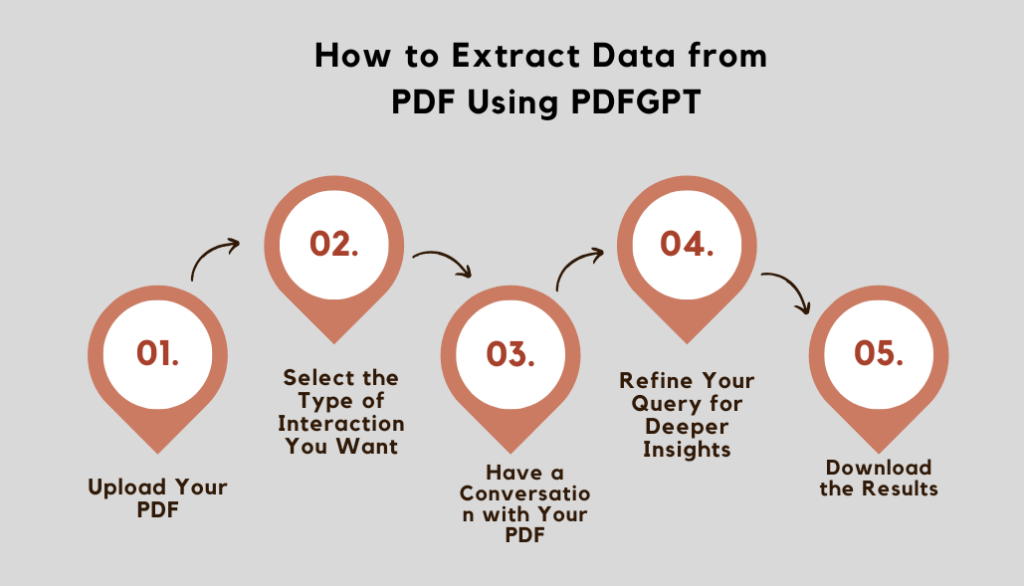
Step 1: Upload Your PDF
The first thing you’ll have to do with PDFGPT is upload the PDF document that you want analyzed. You will click the “Upload” button within the PDFGPT interface, then select the PDF file you want from your device. Further, this document gets summarized with the AI PDF summarizer.
Step 2: Select the Type of Interaction You Want
Once your PDF is uploaded, you will be guided through how you would want to interface with the document. Do you want a high-level summary? Or maybe in bits and pieces of detailed information about specific parts? Select if you need a quick overview or deep dive into specific content using PDFGPT.
You can also “Chat with Your PDF” if you want to go into detail or ask more particular or complex questions or for an explanation of something.
Step 3: Have a Conversation with Your PDF
With the document set up, it’s time to start your interaction with the document. Type in your question or request and let PDFGPT immediately come up with an answer based on the document content. Example:
- “Can you summarize the introduction of this report?”
- “What are the key findings in this study?”
- “Explain section 4.2 in more detail.”
The AI PDF summarizer in PDFGPT can handle complex queries and provide relevant information concisely to get the answer without having to read the entire document.
Step 4: Refine Your Query for Deeper Insights
If the first summary or answer does not fully cover your needs, you can refine your query. PDFGPT’s chat allows for continuous interaction-meaning you can ask follow-up questions to go deeper into certain areas of the PDF. This back-and-forth chat model makes it feel as if you’re conversing with a knowledgeable assistant who’s ready to help you at every step.
Step 5: Download the Results
Once you have the information you need, PDFGPT allows you to download the summarized content or even export the entire chat history for reference. You can save the summarized sections, key takeaways, and any specific responses from the AI for later reference.
Use Cases for Chatting with Your PDF
1. Academic Research: PDFGPT can be utilized by students and researchers in the extraction of useful information from scholarly papers, articles, and journals. Without having to read through pages of heavy text, you can just talk to your PDF and immediately have concise summaries of key sections, thus saving time for the more critical analysis.
2. Business Reports: Business executives can also use PDFGPT to summarize long market reports, financial documents, and corporate communications in the shortest time. Now, have a conversation with your PDF to bring out the key data points, figures, and trends to make quicker, data-driven decisions.
3. Legal Documents: PDFGPT will help legal professionals summarize big and intricate legal documents and contracts. From case law and regulations down to terms and conditions, with PDFGPT, lawyers and paralegals will be able to ask their PDFs questions and extract relevant clauses and the implications thereof without having to read through long texts.
4. Technical Manuals: Technical manuals are always very long, and engineers or technicians have to find something from them. PDFGPT will be useful in chitchatting with their PDF to locate particular instructions, specifications, or troubleshooting tips that they are looking for, making their search much quicker.
Conclusion
PDFGPT- which revolutionized interaction with PDFs: summarize it using its AI, even have a conversation with your PDF to get out that important information in the nick of time. Whether it be summarizing a big document, seeking an explanation of some part that wasn’t clear, or just insight about something, PDFGPT’s AI PDF Summarizer is an apt tool to make your document management efficient and effective.
So, if you are tired of reading through long PDFs and want more interactivity, streamline your experience with PDFGPT. Just a couple of clicks, and you are on your way to chatting with your PDFs for smarter, faster, and easier work.