While there are many users who have managed and summarized lengthy PDFs with Xodo, technology has continued to advance and brought along many alternatives that have better functionality, customization, and AI capabilities. Whether you are a student, professional, or business owner, finding the right AI PDF summarizer can help you save drastically on the time spent digesting large documents.
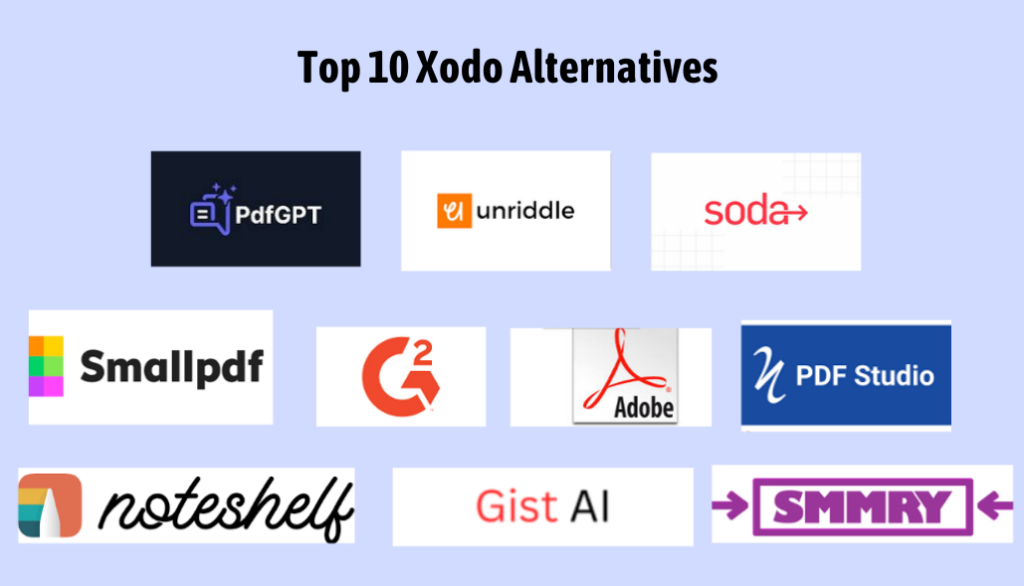
Let’s check some of the top Xodo alternatives here and focus mainly on the best summarizing PDF tools. That list contains PDFGPT, Smallpdf, Unriddle AI, and so many more which help you to save time, bringing you to key takeaways in the shortest time in your documents. So, let’s start!
Top 10 Xodo Alternatives
1. PDFGPT
The best replacement for Xodo for PDF summarization would be PDFGPT. As advanced AI powers it, PDFGPT distils intricate, lengthy PDFs into compact summaries with all the crucial details saved in them and saved time. This tool is very helpful for complex documents such as academic papers, business reports, and research articles.
Features
- AI-Powered Summarization: AI uses artificial intelligence to get a quick and accurate summary of PDFs.
- Customizable Summaries: Users can control the length and depth of the summary.
- Fast Processing: Gives summaries in seconds, even for big PDFs.
Why Choose PDFGPT:
To anyone seeking a premium, reliable AI PDF summarizer, PDFGPT is an awesome choice with its assurance of accuracy and precision through machine learning algorithms and customizable features, ideal for all kinds of documents.
User Review: “I’ve used PDFGPT for a couple of months, and it’s incredibly helpful. I mean, an AI summarizer creates the key point summaries within a fraction of the time,e which would otherwise require me to go through the whole document. How cool that you can always extend or cut short the length to your preference.”
2. Smallpdf
Another great alternative to Xodo is Smallpdf, which offers a variety of PDFs, such as summarization. Smallpdf is simple and easy to use and best suited for those users who need a versatile solution for managing PDFs.
Features:
- Comprehensive PDF Tools: This includes PDF editing, conversion, compression, and summarization.
- Cloud-Based: This can be accessed from any device without installation.
- Easy-to-Use Interface: This is perfect for beginners due to its intuitive design.
Why Smallpdf:
If you’re looking for a single tool that will handle everything from conversion to summation, Smallpdf is the best. It’s useful particularly for people who would need a straightforward, no-nonsense PDF summarizer that’s cross-platform compatible.
User Review: “I use Smallpdf for almost all my PDF needs, and it works perfectly. It’s easy to navigate, and I appreciate the cloud-based platform, which allows me to access my files from anywhere. The PDF summarization feature is super fast and gets straight to the point.”
3. Unriddle AI
Unriddle AI provides context-aware and intelligent summaries by analyzing PDFs using advanced AI algorithms. Its focus on precision and detail makes it an excellent tool for summarizing complex content, such as research papers, manuals, and detailed reports.
Features:
- AI-Based Summarization: AI is used to analyze and extract key information from PDFs.
- Multi-Document Support: Summarize multiple PDFs at once and save time.
- Customizable Outputs: Adjust the length and detail level of the summary according to your needs.
Why Choose Unriddle AI:
Unriddle AI is an ideal choice for users who require an AI summarizer that can sensibly condense the contents made dense. This makes it very flexible, as it can be fine-tuned in terms of length and detail.
User Review: “I have tried a few PDF summarizers, but Unriddle AI is something special. It really understands the context of the document and provides summaries that cover everything I need without overwhelming me. I highly recommend it for anyone working with dense PDFs.”
4. Soda PDF
Soda PDF is another great alternative to Xodo. It provides users with a wide range of tools for editing, converting, and summarizing PDFs. Its versatile set of features makes it an excellent choice for users who need both PDF editing and summarization capabilities in one platform.
Features:
- All-in-One PDF Tools: Edit, convert, compress, and summarize PDFs.
- Batch Processing: Summarize multiple PDFs in one go.
- Cloud-Based and Desktop Versions: Use the tool from both desktop and mobile devices.
Why Consider Soda PDF:
If you need an all-encompassing PDF summarizer with additional editing features, Soda PDF is worth considering. It’s particularly useful for professionals who require advanced PDF management tools.
User Review: “Soda PDF has been great for both editing and summarizing PDFs. I often use it to summarize reports and academic papers quickly. The batch processing feature is a lifesaver when I have multiple documents to summarize.”
5. G2 Deals
G2 Deals is not a direct PDF summarizer tool, but it is a platform that aggregates deals on software tools, including those that offer PDF summarization. If you are looking for discounts on tools like Smallpdf or Adobe PDF Library, G2 Deals is the place to be.
Features:
- Discounts on Software: Find deals on PDF summarizers and related tools.
- Large Selection of Tools: Have access to numerous software tools, such as PDF summaries.
Why Choose G2 Deals:
G2 Deals is an excellent source for anyone interested in trying out several Xodo alternatives at bargain prices. It offers you the chance to look into and compare many different tools without paying through the nose.
User Review: I came across G2 Deals while looking for cheap PDF summarizers, and so far, it has been fantastic. I found good deals on tools such as Smallpdf and Adobe, where I’d not have to pay as much when purchasing.
6. Adobe PDF Library
Adobe PDF Library is a powerful tool for managing PDFs designed for enterprise use. It’s perfect for developers and businesses who would like to include a summarization of PDF features in their application or workflow.
Features
- Developer-Focused: Ideal for integrating PDF features into custom software.
- Comprehensive PDF Tools: Provides a full range of PDF capabilities, including summarization.
- Enterprise-Grade Security: Built by Adobe, offering top-notch reliability and security.
Why Choose Adobe PDF Library:
For projects on an enterprise level or when building custom applications, the feature for summarization in Adobe PDF Library can be powerful. This is, therefore, an excellent solution for business companies handling massive amounts of PDFs, where security will not be a concern.
User Review: “As a developer, Adobe PDF Library has been very instrumental in enabling us to incorporate features for PDF summarization in our applications. It is robust with lots of flexibility and reliability.”
7. PDF Studio
PDF Studio is a reliable and affordable PDF editing tool that also offers PDF summarization features. It’s perfect for users who want a versatile tool that can handle both editing and summarizing tasks.
Features:
- Full PDF Editing Suite: Includes text editing, annotations, and summarization.
- Affordable: Offers a range of affordable plans for individuals and businesses.
- Cross-Platform Support: Available on both Windows and macOS.
Why Consider PDF Studio:
If you want a simple, affordable PDF summarizer that also has editing capabilities, PDF Studio is a good choice.
User Review: “I use PDF Studio for both editing and summarizing my PDFs. It’s easy to use, affordable and works perfectly across both Windows and macOS. It’s definitely become a core tool in my daily workflow.”
8. Noteshelf
Noteshelf is an excellent tool for annotating and summarizing PDFs. Ideal for users who prefer handwriting notes, it also lets you create detailed summaries based on your handwritten annotations.
Features:
- Handwriting Support: Write and annotate PDFs directly on your device.
- Multi-Device Syncing: Sync your work across multiple devices for easy access.
- Customizable Summaries: Tailor summaries to your preferences based on annotations.
Why Choose Noteshelf:
If you prefer the hands-on feel of working directly with a document, marking it up and adding your personal annotations, then Noteshelf is your winner. Perfect for those that want to physically manipulate PDF summaries in their day-to-day operations.
User Review: “I like the way it supports me with writing notes on documents and directly summarizing the contents; it seamlessly synchronizes between my devices.”
9. Gist
Gist is a simple, straightforward tool for creating quick PDF summaries. For those who require a fast and brief summary of PDFs with no frills attached, this tool is great.
Features:
- Summarize in a Flash: Instant, short PDF summaries.
- Easy to Use: Simple, with minimal setup required.
- Free: Perfect for users looking for a free, no-frills way to summarize PDFs.
Why Choose Gist
If you’re looking for something simple and easy to get to the point quickly with a basic PDF summarizer, Gist is the way.
User Review:
“I use Gist to summarize reports for work. It is perfect for the times when I need something quick and simple, no complicated features—just good, concise summaries.”
10. SMMRY
SMMRY is a free online tool that provides quick summaries of PDFs by highlighting the most important sections of the document. It’s simple, fast, and perfect for users on a budget.
Features:
- Free Summarization: Completely free to use.
- Simple and Fast: Extracts key points in seconds.
- Customizable Summary Length: Adjust the summary length according to your needs.
Why Consider SMMRY:
For anyone seeking a free, fast, and easy-to-use tool to summarize PDFs, SMMRY is the best.
User Review: “I use SMMRY for quick summaries of PDFs, and it does the job every time. It’s fast, free, and easy to use. I highly recommend it for anyone who needs a fast overview.”
Why PDFGPT is the Best PDF Summarizer Alternative to Xodo
PDFGPT is the best option for PDF summarization because of its high-end AI capabilities, level of customization, and speed. Here’s why it’s the best replacement for Xodo:
- AI-Powered Summarization: PDFGPT leverages the latest in AI to scan and extract key information from PDFs, providing precise and brief summaries.
- Reusable Summaries: Users can modify the depth and length of the summaries, providing either a short summary or a detailed overview according to their requirements.
- Quick Processing: Large, lengthy documents are processed within seconds, a time-saving feature when handling lengthy academic papers, reports, or articles.
- Precision & Accuracy: The AI used in PDFGPT is made to make sure that main points are picked up without losing vital context, which is important for professionals and students.
- User-Friendly: The interface is intuitive, making it accessible for both tech-savvy users and beginners who need quick, effective summarization tools.
- Concise for High-Level Documents: Best suited to brief content like executive summaries, company reports, or research bullet points when you need the key points absorbed quickly.
Conclusion
Although Xodo has been a good choice for PDF management, there are better Xodo alternatives to efficiently summarize PDFs. The AI-powered summarization offered by PDFGPT is quick, accurate, and customizable, which makes it an ideal tool for saving time and extracting key information from PDFs.
PDFGPT is the go-to for those who need the best AI PDF summarizer. It is equipped with the latest AI technology, and the user interface is straightforward, so summarizing PDFs becomes powerful and reliable for research papers, business reports, or even personal documents.